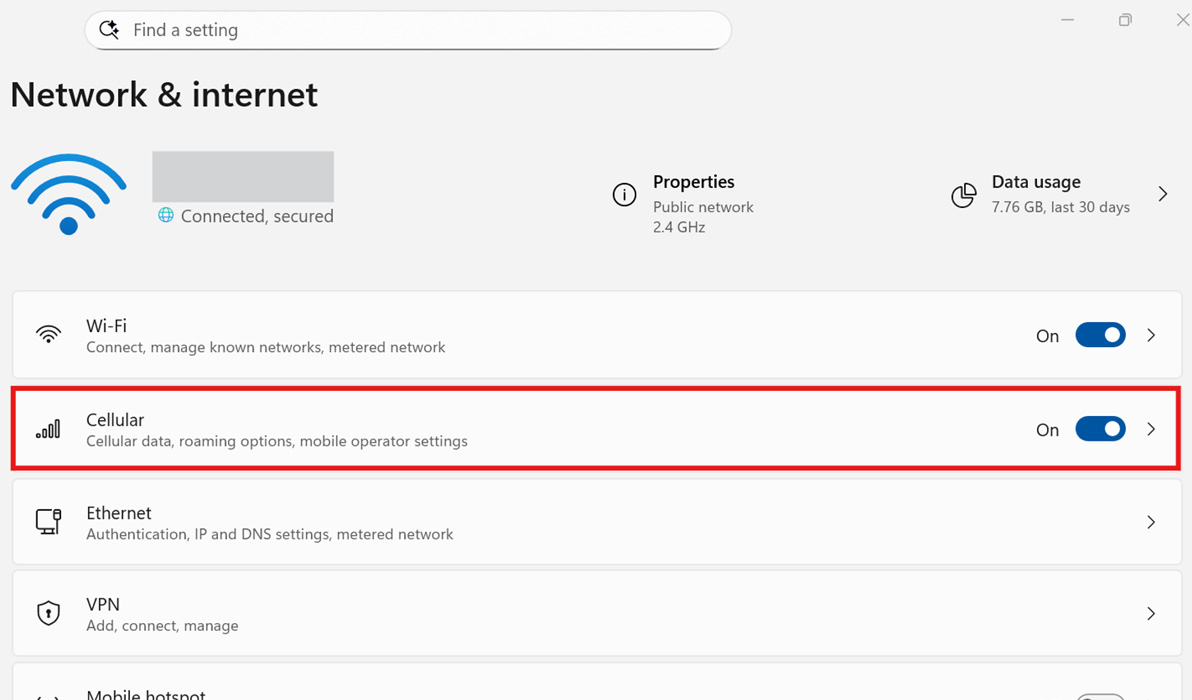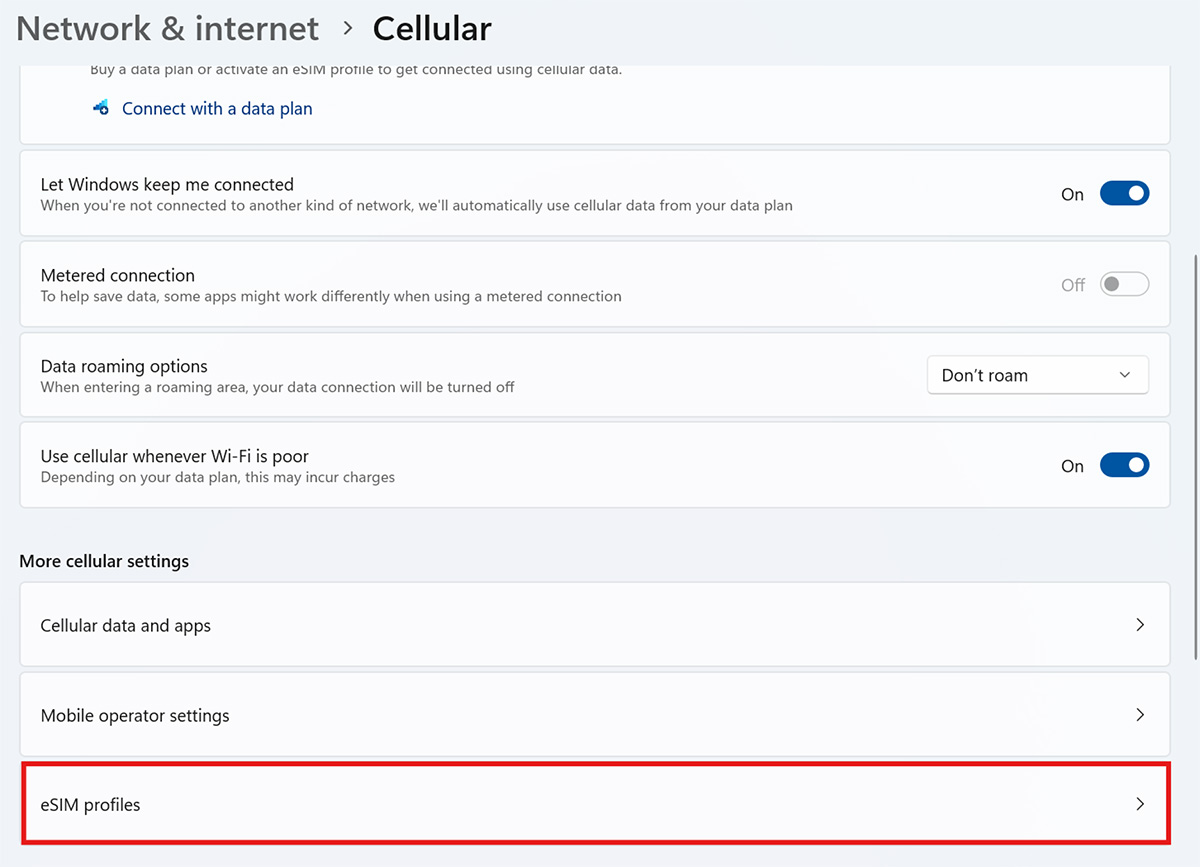

Configure your Windows setting to optimize your HP Go experience.
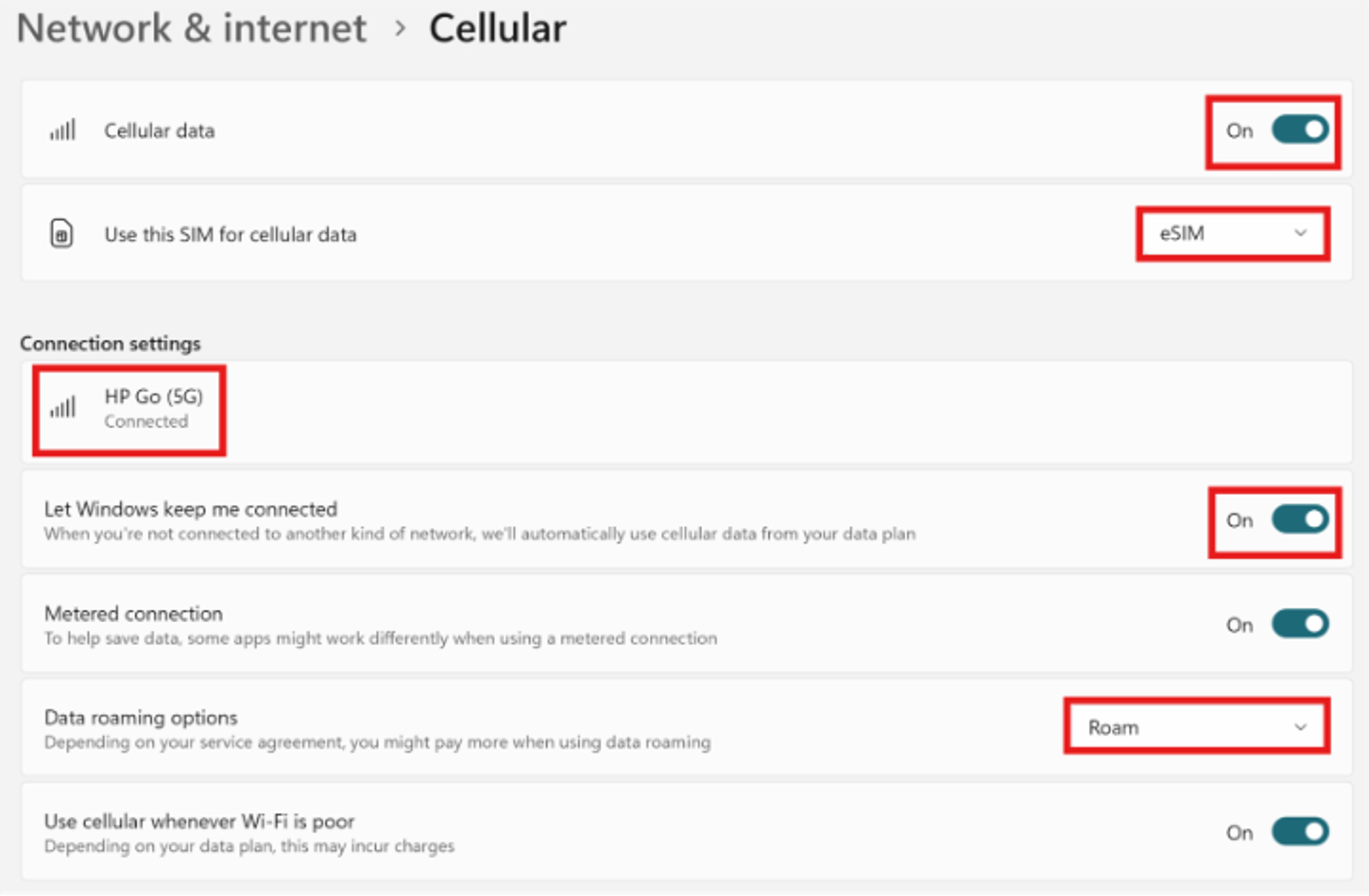
Ensure your cellular settings are set appropriately.
- Cellular data is “On”.
- Use this SIM for cellular data: “eSIM”.
- Connect to the HP Go network.
- Ensure “Let Windows keep me connected” is toggled to “On”.
- Enable roaming if you plan to use cellular services while traveling.
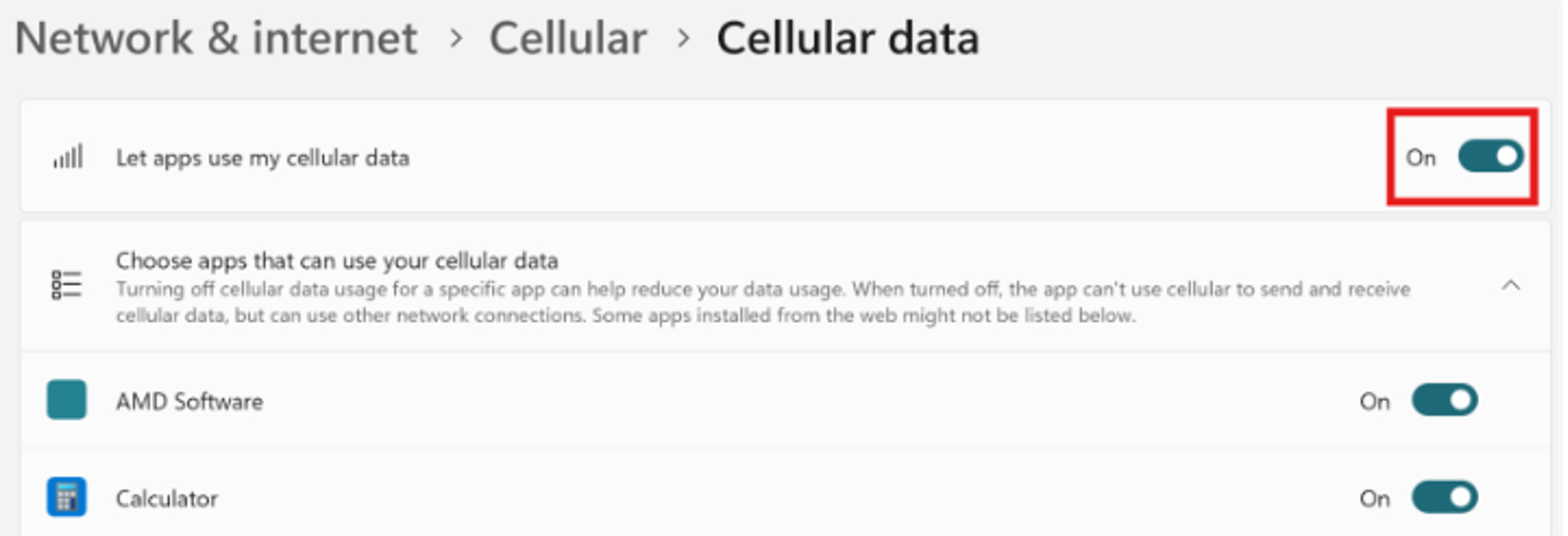
- Toggle “Let apps use my cellular data” to “On” to ensure all applications have necessary access to data.
If you require further assistance, please contact HP Support.